Showing posts with label Rooting. Show all posts

February 01, 2017

Hack Whatsapp Using Android Phone

Hack Whatsapp Using Android Phone


WhatsApp Sniffer :
WhatsAppSniffer is a tool for root terminals to read WhatsApp conversations of a WIFI network (Open, WEP, WPA/WPA2). It captures the conversations, pictures / videos and coordinates that are sent or received by an Android phone, iPhone or Nokia on the same WIFI network. It has not been tested with Windows Phone terminals. It can't read the messages written or received by theBlackBerry's, as they use their own servers and not WhatsApp's.
This application is designed to demonstrate that the security of WhatsApp's communications is null. WhatsAppSniffer just use the TCPDump program which reads all the WIFI network packets and filters those which has origin or destination WhatsApp's servers. All messages are in plain text, so it does not decrypt anything, complying fully with the legal terms of WhatsApp (3.C: "While we do not disallow the use of sniffers Such as Ethereal, tcpdump or HttpWatch in general, Any we do going efforts to disallow reverse-engineer our system, our protocols, or explore outside the boundaries of the ordinary requests made by clients WhatsApp .... ")
For WPA/WPA2 encrypted networks, it uses the tool ARPSpoof (optional).
Features:
- For now, there is only support for this characters:
- Read conversations outgoing and incoming to Android, iPhone and Nokia phones.
- They are separated by phone number
- Notify when a message has been captured
- Ability to start a debug session saving all logs
- It matches phone numbers captured with agenda for coincidences

(ROOT REQUIRED)
Legal Terms:
WhatsAppSniffer comes with absolutely no warranty. You use this software on your own risk. The developer is not responsible for any damages caused by WhatsAppSniffer or it´s usage. It´s only the users responsibility to check his country's laws in order to make sure that the usage ofWhatsAppSniffer is permitted by law in his country. In some countries stealing someones conversations might be prohibited by law. Always think about what you´re doing! Stealing someones conversations can cause real trouble for him and maybe for you.

Tags : HACK WHATSAPP, HACK WHATSAPP MESSAGES, WHATSAPP

Help By "Sharing" After Viewing

January 27, 2017

How to overclock HTC Explorer upto 1.3GHz

overclock HTC Explorer


I. Before You Begin:

1. You must be rooted before you can do this procedure. Please head to our How to Root the HTC Explorer procedure first and root your device.

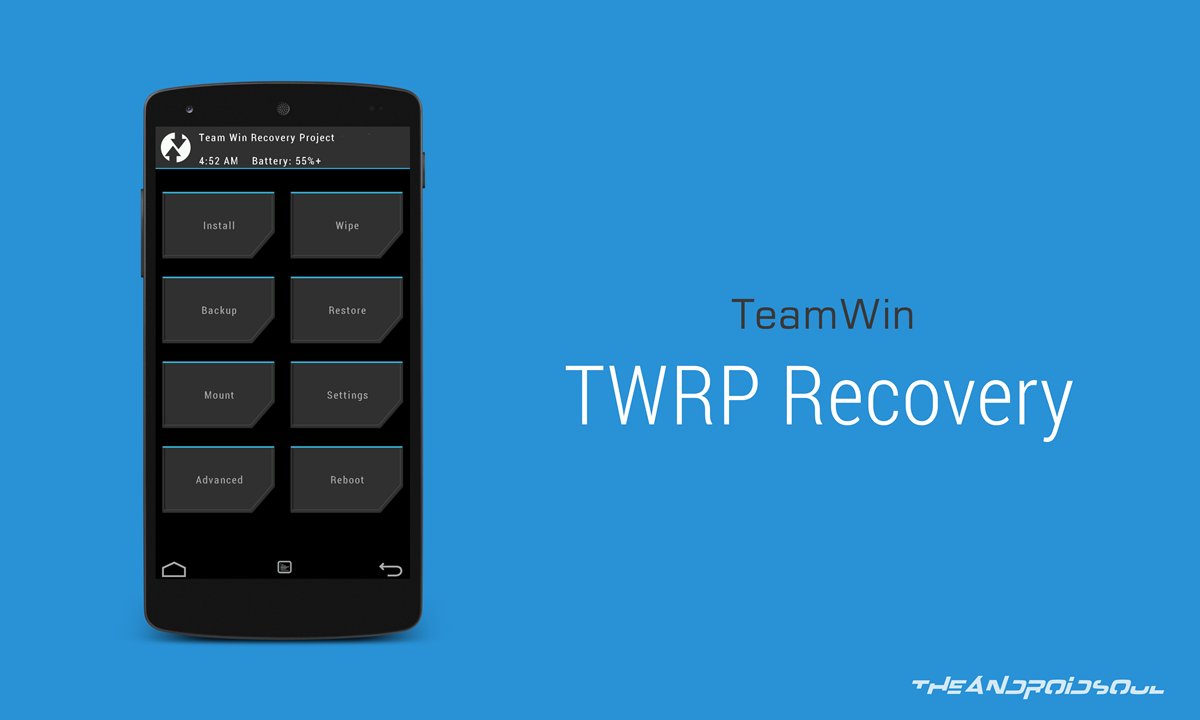
2. You must have TWRP Recovery installed on your device. Follow my guide on the same to do that.
II. Make a Backup:

1. Head over to the Google Play and download and install the Quick Boot app on your device.

2. Open the app from your App Drawer.

3. Hit the Recovery option to reboot your device into Recovery mode.

4. Once in Recovery, select Backup and checkmark all the boxes available on the next screen.

5. Hit Swipe to Back Up and it’ll start backing up your device.

6. Once your device’s been backed up, reboot your device.

7. You’re done!
III. Downloading Required Files:

1. Pandora Kernel (Download link’s given in the second post)
IV. Flashing the Overclock Kernel on the HTC Explorer:

1. Download and place the Pandora Kernel zip onto your Desktop.

2. Connect your device to your PC using the USB cable.

3. Copy the Kernel zip over to the root of your SD card.

4. Once the zip has been copied, disconnect your device from your PC.

5. Launch the Quick Boot app from your App Drawer.

6. Tap on the Recovery option to reboot your device into Recovery mode.

7. Once in Recovery, select Install and choose the Kernel zip to be flashed on your device.

8. It’ll begin flashing the zip on your device, should take a couple of minutes to finish.

9. Once the zip has been flashed, reboot your device.

10. You’re all done!
V. Overclocking the HTC Explorer:

1. Download and install either of these apps on your device:

SetCPU

No-frills CPU Control

2. Once installed, launch the app from your App Drawer.

3. Now use the available slider or options to increase your CPU clock speed. Keep on increasing it as long as your device doesn’t crash.

4. Make sure not to choose save on boot option in the app.

5. Once your device becomes stable at a specific clock speed, close the app.

6. You’re all done!

Brilliant! You’re now overclocked and all ready to experience blazing faster speeds on your device!
VI. Reverting Back to the Stock Kernel (Optional):

1. Launch the Quick Boot app from your App Drawer.

2. Hit the Recovery option and you’ll be taken to the Recovery mode.

3. Once in Recovery, select Restore and choose the backup file you created in one of the earlier sections to be restored on your device.

4. Hit Swipe to Restore and it’ll start restoring the backup on your device.

5. Once the backup has been restored, reboot your device.

6. You’re done!

Cheers! You have successfully reverted back to the stock kernel!

Tags : CUSTOM RECOVERY, CUSTOM RECOVERY FOR HTC EXPLORER, DOWNLOAD CUSTOM RECOVERY, DOWNLOAD PANDORA KERNEL, DOWNLOAD TWRP, HTC EXPLORER, HTC EXPLORER KERNEL, HTC PICO, HTC PICO KERNEL, HTC SYNC, OVERCLOCK HTC EXPLORER, OVERCLOCK HTC PICO, PANDORA KERNEL, ROOT HTC EXPLORER, ROOT HTC PICO, TWRP RECOVERY

Help By "Sharing" After Viewing

How to Install TWRP Recovery on HTC Explorer(Pico)

TWRP Recovery

I. Before You Begin:

1. You must have done our How to Root the HTC Explorer procedure.

2. This will replace your current recovery with the TWRP Recovery.
II. Downloading Required Files:

1. GooManagerQR Code (Google Play Link)
III. Installing TWRP Recovery on the HTC Explorer:

1. Download and install the GooManager app on your device using the link provided above.

2. Once installed, launch it on your device.

3. Press the Menu key on your device and you should see a menu, tap on Install OpenRecoveryScript option.

4. Tap the Yes button to confirm your action.

5. You should now see the model number of your device on your screen. If it’s perfect, hit Yes.

6. The app will now automatically download and install the recovery on your device. No action is required from user-side.

7. You’re all set!

Congrats! Your HTC Explorer has successfully been equipped with TWRP Recovery and you can now access it to flash custom ROMs and Mods!


Tags: CUSTOM RECOVERY, DOWNLOAD CUSTOM RECOVERY, DOWNLOAD TWRP, PICO, ROOT HTC EXPLORER, ROOT HTC PICO, TWRP FOR HTC EXPLORER, TWRP FOR HTC PICO, TWRP RECOVERY

Help By "Sharing" After Viewing

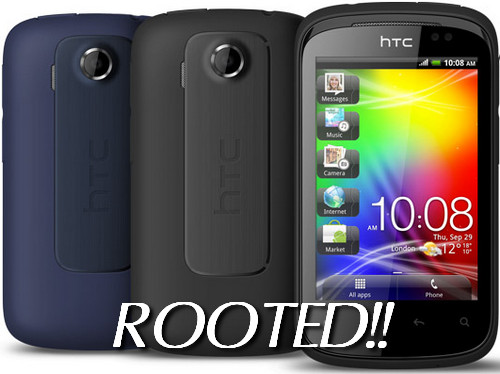
How to Root and Install Custom Recovery on HTC Explorer(Pico)

Root and Install Custom Recovery on HTC Explorer

I. Before You Begin:

1. You must have unlocked bootloader of your phone. You can do so by visiting the HTCwebsite.

2. You must have HTC Sync installed on your PC. You can get it from here.

3. Make sure your phone has at least 60% of battery life left so it can last through the entire process.
II. Downloading Required Files:

1. Download the Recovery Image from here.

2. Download the Superuser ZIP file from here.
III. Installing Custom Recovery on HTC Explorer:

1. Download and place all the files listed above onto your Desktop.

2. Extract files from the Recovery Image archive to your Desktop.

3. Turn OFF your smartphone.

4. Reboot your phone into the bootloader mode by pressing and holding Volume DOWN+Powerbuttons simultaneously.

5. Choose fastboot option from the bootloader menu.

6. Connect your phone to your PC using the USB cable.

7. Double-click the recovery.bat file to commence the flashing process.

8. When the custom recovery has successfully been installed on your phone, disconnect it from the PC.

9. Reboot your phone.

The custom recovery has now successfully been flashed on your phone. Now, head on to the following procedure to root your phone.
IV. Rooting HTC Explorer smartphone:

1. Connect your phone to your PC using the USB cable.

2. Copy the Superuser ZIP archive to your phone’s SD card storage root folder. It is the topmost folder.

3. Disconnect your phone from the PC after the file transfer has been completed.

4. Reboot your phone into the bootloader mode. Press and hold Volume DOWN+Power buttons together and you will enter bootloader mode.

5. Choose Recovery option from the bootloader mode.

6. From the recovery menu, choose install .zip from sd and then select the Superuser ZIP file.

7. After it has finished installing the file, reboot your phone.

Congratulations ! You have done installing custom recovery on your phone and rooting it. From now on, you can enjoy the root-only apps on your HTC Explorer.

Tags : CUSTOM RECOVERY, CUSTOM RECOVERY FOR HTC EXPLORER, CUSTOM RECOVERY FOR HTC PICO, DOWNLOAD CUSTOM RECOVERY, DOWNLOAD HTC SYNC, DOWNLOAD SUPERUSER, HTC EXPLORER, HTC SYNC, PICO, ROOT HTC EXPLORER, ROOT HTC PICO, SUPERUSER, SUPERUSER FOR HTC EXPLORER, SUPERUSER ZIP FOR HTC EXPLORER, SUPERUSER ZIP FOR HTC PICO, UNLOCK BOOTLOADER, UNLOCK HTC BOOTLOADER

Help By "Sharing" After Viewing
Related Posts Plugin for WordPress, Blogger...

Receive Updates By Pressing Like

Why Adf.ly?

I am a long time user of adf.ly and I use the site to shorten the links before posting it on the website so that the security to the links are strengthened and maintained. So it is very less likely that you will find Broken Links on this site.


Labels